Browser
Manages Chrome browser instances for screencast streaming and MCP browser automation tools. Supports two modes: Docker (headless Chrome container per channel) and Host (user’s local Chrome).
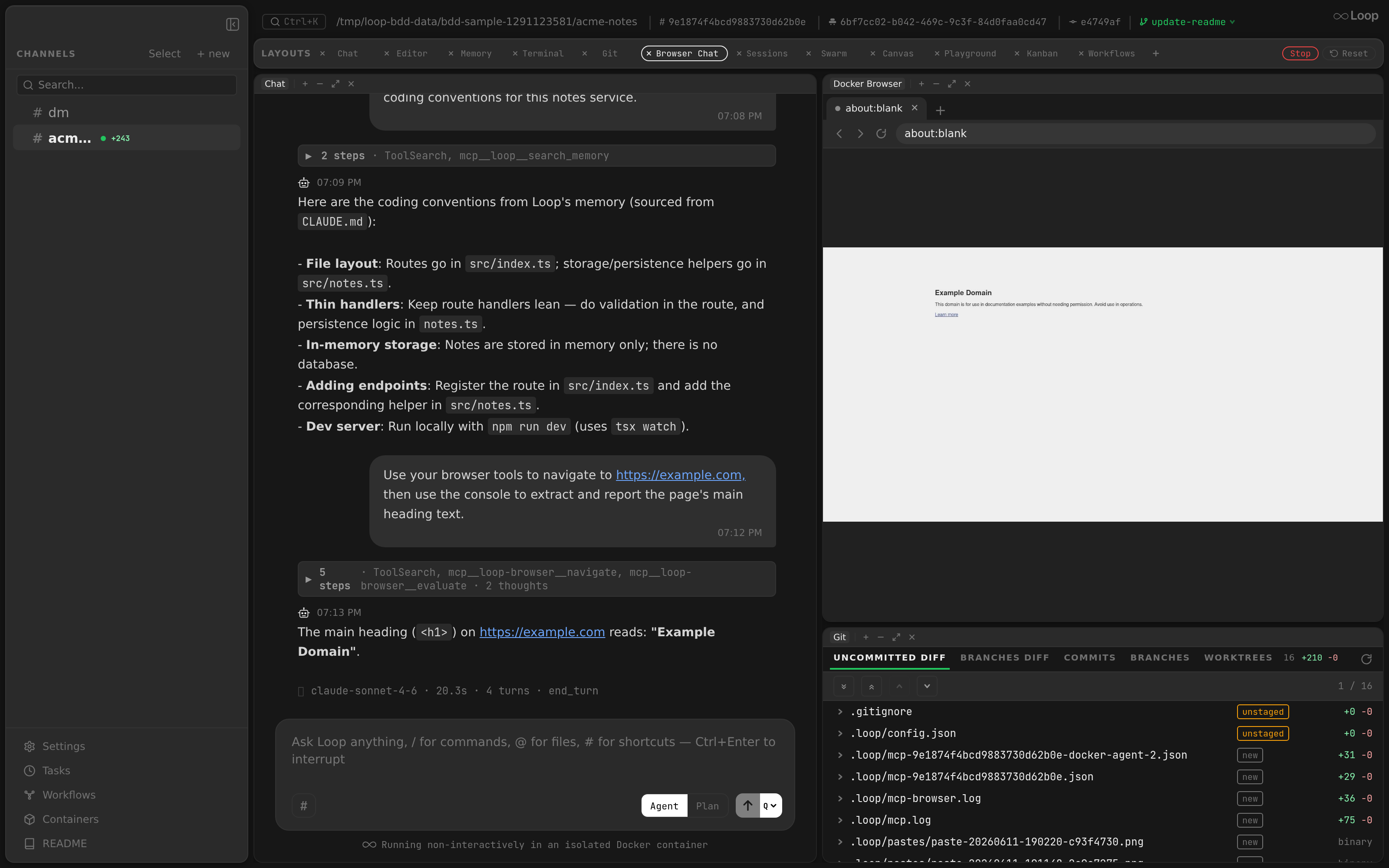
Packages: internal/browser, internal/api (handler), internal/mcpbrowser (MCP server)
Architecture
Frontend (Electron)
  BrowserPanel ─── useBrowserWs
    │ WS: start/stop/screencast/input     │ HTTP: /api/browser/action
    ▼                                     ▼
┌──────────────────────────────────────────────────┐
│  browser_handler.go                              │
│  WS handler + action dispatcher                  │
│  Mode switching (Docker ↔ Host pill)             │
│  Idle monitoring                                 │
├──────────────────────────────────────────────────┤
│  BrowserProvider          CDPManager             │
│  (lifecycle only)         (CDP state)            │
│  ├─ DockerProvider        ├─ One browser WS conn │
│  │  Container CRUD        ├─ activeClient (tab)  │
│  │  Port mapping          ├─ Tab tracking        │
│  └─ HostProvider          ├─ Pane counting       │
│     DevToolsActivePort    └─ Notifications       │
├──────────────────────────────────────────────────┤
│  CDPClient / CDPSession                          │
│  Per-target chromedp context                     │
│  Navigate, screencast, input, tabs, JS, etc.     │
└──────────────────────────────────────────────────┘
                      │
                      ▼
                Chrome (CDP)
                Docker: headless container per channel
                Host: user's Chrome via DevToolsActivePort
Two Modes
Docker Mode (default)
- Headless Chrome in a dedicated container per channel (
loop-chrome-{channelID}) - Container created on first browser pane open, idle-stopped after timeout
- CDP endpoint:
ws://127.0.0.1:{hostPort}(random mapped port) - All tabs shown in UI (only agent-tracked tabs)
- Persistent per-channel profile (see Agent profile )
Host Mode
- Connects to user’s local Chrome via CDP
- Requires
chrome://inspect/#remote-debuggingenabled - Discovery: reads
DevToolsActivePortfrom Chrome’s user data directory - CDP endpoint:
ws://127.0.0.1:{port}/devtools/browser/{guid} - Only agent-created tabs shown (user’s personal tabs hidden)
- Mode persisted per channel in localStorage
- The agent can reach every tab in that Chrome, hidden ones included, and every site you’re signed in to. Don’t keep a Loop web UI tab open there: its owner token gives a shell on your machine. See Security Model .
Mode Switching
- Frontend pill toggle sends
POST /api/browser/mode - WS “start” message includes
modefield (restores mode after daemon restart) - Each mode has its own
CDPManager(keyedchannelID|mode) - Switching preserves both tab sets
Agent profile
In Docker mode the sidecar runs Chromium against --user-data-dir=/profile, backed
by a Docker named volume loop-chrome-profile-{sanitized-channel-id}. Named
volumes are not removed by RemoveOptions{RemoveVolumes: true}, so the profile
survives the idle stop and the container removal that follow it. Cookies, logins
and site data therefore persist across sidecar restarts and daemon restarts.
This gives the agent a durable identity that is its own, isolated from the
user’s real Chrome profile — the thing Host mode cannot offer. The intended flow
is: the agent hits a login wall, calls AskUserQuestion, the channel parks, the
user signs in by driving the same tab through the browser pane, and answers. Every
later run reuses that session.
The volume is per channel, not shared with its threads: a channel and its threads
can run sidecars concurrently, and two Chromium processes on one --user-data-dir
collide on the profile singleton lock.
- Toggle with
browser.persist_profile(defaulttrue). With it off, Chromium falls back to a throwaway in-container profile and nothing is mounted. - Reset profile in the browser pane (
POST /api/browser/profile/reset) stops the sidecar, removes the container and deletes the volume. It is docker-mode only — host mode returns409, since that profile belongs to the user. - Deleting a channel removes its profile volume too; nothing else collects them.
- Chromium migrates a profile forward on upgrade but refuses to start on one
written by a newer Chromium. That only comes up if
browser.chrome_imageis pinned back to an older tag — Reset profile is the recovery path.
Importing cookies from your own browser
A fresh sidecar profile is signed out of everything. Import cookies in the browser pane copies cookies out of the browser you already use — Chrome, Edge or Firefox — so pages the agent opens are already authenticated, without anyone driving a login form through the screencast.
The promises the dialog makes are the feature’s boundaries:
- Cookies only. Passwords, autofill, history and bookmarks are never read.
- You choose the sites. Nothing is imported that was not ticked.
- Nothing leaves this computer. The values go straight from the local profile into the local sidecar. They are never logged, never returned by the API and never written into loop’s own storage.
The site picker
The second step lists one row per cookie scope — the cookie’s own
host_key — folded under the parent scope it sits beneath. A site’s session is
usually split across several: the cookies that sign you in tend to sit on the
parent scope, while the subdomain an app is served from holds that app’s own
cookies and nothing that authenticates. Ticking the parent takes every scope
under it; expanding the row picks them one at a time. Either way a tick grants
exactly the scopes printed, and the import sends those scopes, not the group.
The parent is only ever another scope from the same jar, so no public suffix list is involved and no group is invented: a site whose parent is a public suffix stands alone, because nothing sets cookies there — browsers refuse to.
Nothing is checked when the dialog opens. Every scope that crosses into the sidecar is one the user picked out by name, and the search box is there to find it. Rows come sorted by cookie count, busiest first.
The picker used to guess instead: it classified mailboxes, banks and identity providers from a built-in list, left those unchecked, and ticked everything else. That default was the problem — a site no list had heard of went over without being asked, and no list closes that set. Starting empty closes it.
Select all reaches every row, because there is no longer a class of row it steps around. Clearing clears everything.
Where the data lives
Nowhere. loop stores the chosen domain list, never the cookies: values are re-read from the live browser on every import. A domain list is not a credential, and rotating a session in Chrome means the next import picks up the new value instead of replaying a stale one.
The panel remembers the last profile and selection client-side. To have the import replay into every new sidecar unattended, put it in config:
"browser": {
  "cookie_import": {
    "source": "chrome:Default",
    "domains": ["github.com", "example.com"],
    "auto": true
  }
}
auto is off by default: moving credentials around while nobody is watching
deserves an explicit opt-in. When it is on, the import runs once per freshly
connected sidecar, and any failure is a warning — a cookie problem never stops
the browser from starting.
Limits
- macOS only for Chrome and Edge. Their cookie values are encrypted with a
key held in the login Keychain, and reading it shells out to
/usr/bin/security, which makes macOS show its own consent prompt: an OS-level gate loop cannot fake or bypass. Linux (libsecret) and Windows (DPAPI) return a clear “unsupported on this platform” rather than silently importing nothing. Firefox stores cookies in the clear and works anywhere. - Safari is not offered. Its store is a proprietary binary format behind TCC.
- Docker mode only. Host mode already uses your own profile, cookies
included, so both endpoints return
409there. - Session cookies are skipped. They are meaningless outside the browser session that owns them.
- The daemon must be running as a host binary to see your profile directories at all. A daemon inside a container reports no browsers found.
- Cookies are installed over CDP (
Storage.setCookies), browser-wide, so Chrome writes them into the persistent profile volume itself — loop never touches the profile’s files. Withbrowser.persist_profileoff there is nothing to persist into, and the import lasts only as long as the sidecar.
GET /api/browser/cookies/sources lists the profiles and their scopes (this is
the call that triggers the Keychain prompt);
POST /api/browser/cookies/import {channel_id, source, domains[]} performs
the import.
Extensions
Chromium in the sidecar runs --headless=new, which supports extensions — but
loop starts it with --disable-extensions unless browser.extensions is set.
The list holds host directories, each containing an unpacked extension’s
manifest.json. Every entry is bind-mounted read-only into the sidecar and
handed to Chrome via --load-extension:
"browser": {
  "extensions": ["/Users/me/chrome-extensions/ublock"]
}
Unpacked directories are the only route that works here. The Chrome Web Store’s
“Add to Chrome” ends in a native confirmation bubble and chrome://extensions'
“Load unpacked” opens a native file picker; neither is part of the page, and the
screencast only streams the page — so neither can be driven from the browser
pane. A Web Store extension has to be unpacked to a directory on the host first.
Notes:
- Changing the list takes effect on the next sidecar start (Reset profile, or let it idle out), not on a running one.
- Order matters and is worth keeping stable: an unpacked extension’s ID is derived from its path, and paths are assigned by position.
--disable-extensionsmoved out of the image’s entrypoint into the sidecar’s args, because Chrome has no switch that undoes it —--enable-extensionsalongside it still leaves extensions off. An install whose chrome image predates that change ignores the setting until the image is rebuilt, which happens automatically on the next loop version bump (see below) or immediately withmake docker-build.
Chrome image freshness
The sidecar image (browser.chrome_image, default loop-chrome:latest) is built
from chrome.Dockerfile at daemon start and stamped with loop.version /
loop.built_at labels. It is rebuilt when it is missing, unlabelled, or labelled
with a different loop version — so upgrading loop also pulls in the current
Chromium instead of freezing whatever Alpine shipped on the day of first install.
The rebuild uses docker build --pull --no-cache. Both flags are required:
apk add --no-cache only keeps apk’s index out of the layer, and Alpine ships
Chromium patches into the branch repo without always republishing the base image,
so a cached or --pull-only build would silently re-tag the same old browser. The
image is a single RUN, so this costs a package re-download on version change
only, in the background. make docker-build is the manual escape hatch.
Dev builds (dev, -g…, -dirty versions) never trigger the version check —
the image is only built when it is missing.
BrowserProvider
Thin interface for Chrome lifecycle — 6 methods, no CDP state.
type BrowserProvider interface {
    EnsureBrowser(ctx, channelID, containerID) error
    StopBrowser(ctx, channelID) error
    IsRunning(ctx, channelID) bool
    GetCDPEndpoint(channelID) string
    GetContainerID(channelID) (string, bool)
    IsHostMode() bool
    RemoveProfile(ctx, channelID) error
}
DockerProvider
- Creates/reuses Chrome containers with
docker create+docker start - Mounts the per-channel profile volume and passes
--user-data-dir RemoveProfiledeletes that volume- Discovers mapped host port via
ContainerInspect - Reachability check via TCP dial (no
/jsonHTTP API)
HostProvider
- Discovers Chrome via
DevToolsActivePortfile - Falls back to TCP dial on configured port
StopBrowserclears session state only (does not kill Chrome)RemoveProfileis a no-op — the profile is the user’s own
CDPManager
Manages a single browser-level CDP connection and per-tab contexts. One CDPManager per (channelID, mode) pair.
Connection Model
Connect() ──► cdpFactory (NewCDPClient)
                  │
                  ▼
              One WebSocket to Chrome browser endpoint
                  │
GetOrCreate() ──► NewContextForTarget(targetID)
                  │ (Target.attachToTarget over same WS)
                  ▼
Fresh CDPSession per tab (no cache)Connect()creates the initial connection via factory (with retries for Docker)GetOrCreate(targetID)creates child contexts from the initial connection viaNewContextForTarget— no new WebSocket dial, no Chrome permission prompt- No client cache — each tab switch creates a fresh context (cheap: just
Target.attachToTarget)
Key Methods
| Method | Description |
|---|---|
Connect(ctx) | Initial CDP connection with retries |
GetOrCreate(targetID) | Fresh context for target via existing WS |
ActiveClient() | Current tab’s CDPSession |
SwitchActive(targetID) | Set active target ID |
TrackTab/UntrackTab | Tab order management |
NotifyTargetSwitch/TabAdded/TabRemoved | WS handler notifications |
PaneConnected/PaneDisconnected | Pane count for idle monitoring |
CDPClient (CDPSession interface)
Wraps a chromedp context attached to a single page target.
Construction
// Initial connection (used by CDPManager.Connect):
client, err := NewCDPClient(ctx, wsURL, logger, opts...)

// Child context for different target (used by CDPManager.GetOrCreate):
child, err := client.NewContextForTarget(targetID)
// Uses Target.attachToTarget over same browser WS — no new dial
Operations
| Category | Methods |
|---|---|
| Navigation | Navigate, Reload, GoBack, GoForward, GetPageInfo |
| Screencast | StartScreencast, StopScreencast, ResetScreencast |
| Screenshots | Screenshot |
| Input | MouseClick, MouseMove, MouseScroll, MouseDown, MouseUp, KeyPress, TypeText, InsertText |
| Clipboard | ReadSelection |
| Accessibility | GetElementRefs, ClickRef, ScrollIntoView |
| Tabs | ListTabs, NewTab, CloseTab, SwitchTarget |
| JavaScript | EvaluateJS |
| Capture | EnableConsoleCapture, EnableNetworkCapture |
| Window | ResizeWindow |
Clipboard
The sidecar has its own clipboard, inside the container, that the host cannot read or write. Copy and paste in the browser pane therefore go over the WebSocket rather than through the OS.
- Paste — the panel intercepts Ctrl/Cmd+V, reads the
host clipboard with
navigator.clipboard.readText()and sends{"input_type": "paste", "text": ...}. The handler callsInsertText, which maps to CDPInput.insertText— one shot, not a key event per character. - Copy — Ctrl/Cmd+C sends
{"input_type": "copy"}. The handler callsReadSelectionand replies with aclipboardmessage that the panel writes to the host clipboard. Ctrl/Cmd+X does the same and then dispatches the real key event so the page performs the cut. - Other shortcuts — every other key event carries a
modifiersbitmask (Alt=1, Ctrl=2, Meta=4, Shift=8). The sidecar runs Linux, so a macOS Cmd is sent as Ctrl.
KeyPress also sets code and the virtual key code, and — for keys that
produce input, currently only Enter — the text field. Chrome raises
keydown without text, but never generates the char event, so an Enter
missing it submits a form yet fails to insert a newline in a textarea. Text is
suppressed when a non-Shift modifier is held, so Ctrl+Enter
stays a shortcut instead of typing a newline.
MCP Browser Tools
Proxy Mode (agent containers)
Agent containers run loop mcp-browser which proxies all tool calls via POST /api/browser/action to the host. The handler routes through CDPManager.
Direct Mode (standalone)
loop mcp-host-browser connects directly to Chrome via CDPClient (no CDPManager). Auto-discovers Chrome’s DevTools endpoint via the DevToolsActivePort file. Can be used as a standalone MCP server for any Claude Code session:
{
  "mcpServers": {
    "browser": {
      "command": "loop",
      "args": ["mcp-host-browser"]
    }
  }
}
Requires chrome://inspect/#remote-debugging enabled in Chrome.
Available Tools
navigate, read_page, computer, form_input, screenshot, save_screenshot, go_back, go_forward, reload, evaluate, list_tabs, new_tab, switch_tab, close_tab, page_info, get_page_text, find, read_console_messages, read_network_requests, resize_window
Waiting for a page
Pages that build their content with script after loading can be read too early. navigate, screenshot, save_screenshot and computer take wait_for_selector and/or wait_for_text, with wait_timeout_ms (default 10000, max 60000). The tool polls the page every 250 ms through evaluate_js until it matches, and fails with a timeout error if it never does. computer waits after acting, except for wait and screenshot, which wait first; computer wait without either pauses for duration ms.
Tabs
list_tabs numbers the tabs [1], [2], …; switch_tab and close_tab take that number as index, or the tab’s target_id. switch_tab also brings the tab to the front in Chrome, since Chrome throttles a tab in the background.
The Docker sidecar starts Chrome with --disable-background-timer-throttling, --disable-renderer-backgrounding and --disable-backgrounding-occluded-windows, so pages keep running their timers and rendering when nobody looks at them.
Daemon restarts
The container’s tools reach Chrome through the Loop daemon. While the daemon is down they fail with a message saying so; the daemon stops the sidecar when it exits, so after a restart the browser starts afresh on about:blank and the agent has to navigate again.
Idle Monitoring
Server.RunBrowserIdleMonitor(ctx, timeout) — single goroutine checks all CDPManagers. When a CDPManager has no connected panes and exceeds the timeout:
- CDPManager is closed (CDP connections cleaned up)
- For Docker mode: container is stopped and removed
Last Tab Close
When the last tab is closed, a replacement about:blank tab is created before closing the old one (the active CDP client’s context dies with the closed tab).
Related Docs
- Containers — Docker container lifecycle
- Desktop App — Electron architecture