Git Panel
The Git panel surfaces a channel’s repository state — uncommitted changes, branch comparisons, commit history, branches, and worktrees — without leaving Loop. It backs the agent’s git work: as an agent edits and commits files in the sandbox, the panel refreshes live so you can see exactly what changed.
Related docs: Layouts | Sidebar | HTTP API — Git | Chat
Overview
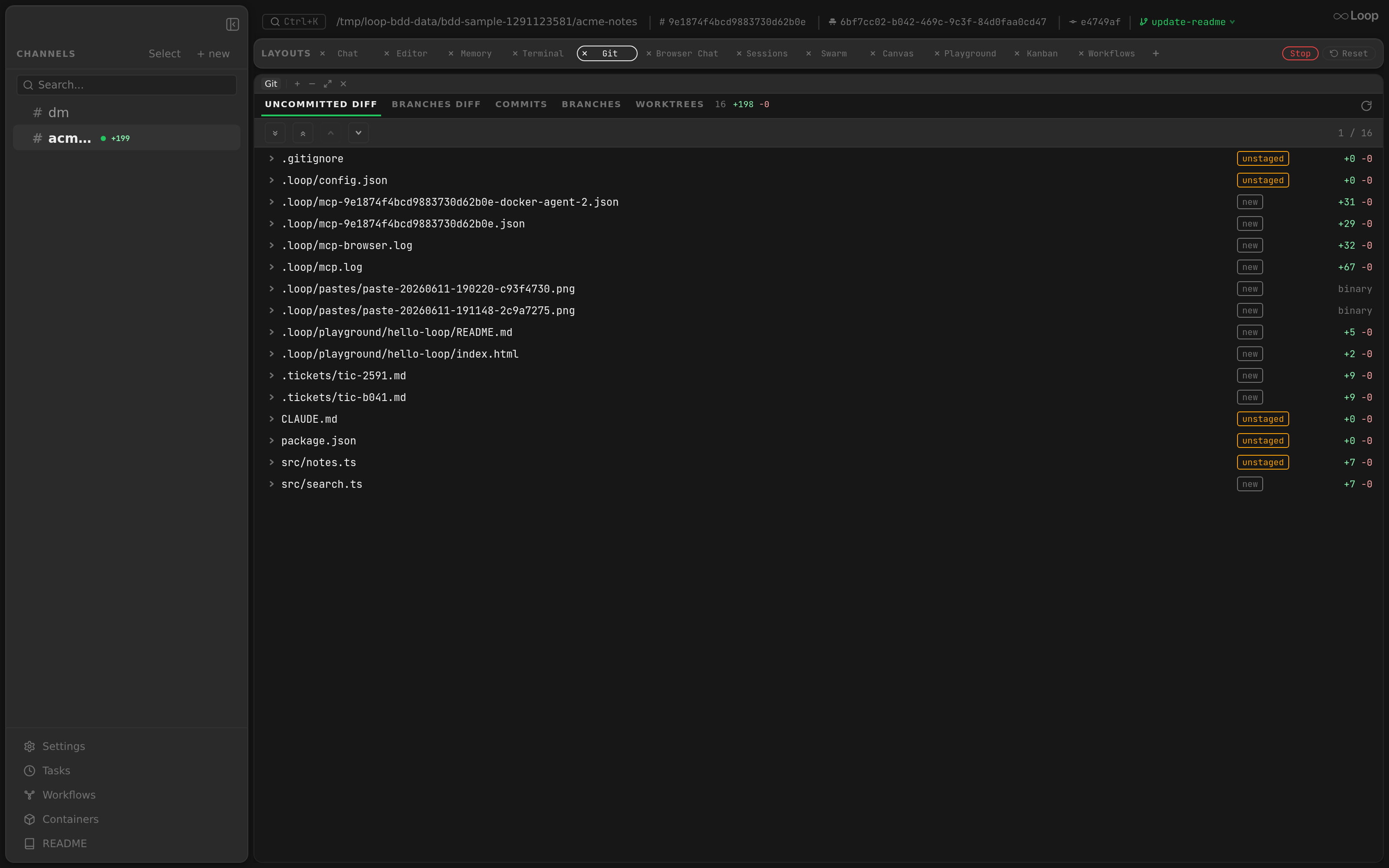
Component: app/src/components/panels/GitPanel.tsx
The panel has five tabs:
| Tab | Shows |
|---|---|
| Uncommitted Diff | The working-tree diff — staged and unstaged changes, file by file |
| Branches Diff | A diff between two selected branches (“Changes from” → “Land into”) |
| Commits | The commit log for the selected branch; click a commit to see its changes |
| Branches | Local branches, with checkout |
| Worktrees | Git worktrees for the repo (see Sidebar — Worktree threads ) |
Live refresh
The panel keeps itself current without manual polling:
- A background poll refreshes every 5 seconds.
- A debounced WebSocket listener refreshes ~1 second after any channel event — so when an agent writes or commits a file, the diff and commit list update on their own.
- A manual Refresh button (circular-arrow icon) forces an immediate reload.
Because the workdir is bind-mounted into the agent container, commits the agent makes (with the repo-local git identity) appear in Commits as soon as they land.
Viewing a commit
Component: app/src/components/panels/CommitDiffView.tsx
Clicking a row in Commits replaces the list with that commit’s changes: its short hash, subject, author and time on top, and the files it touched below in the same diff viewer the diff tabs use, expanded. The ▸ next to a subject shows the full message in place without opening the commit — in the list and in the commit view alike.
- A merge commit is shown against its first parent, i.e. what the merge brought into the branch. The first commit of a repo shows every file as added.
- Expanding hidden context lines reads the file as it was in that commit, not the current working tree.
- ← Commits, or the Commits tab, goes back to the list with its scroll position kept. Switching branch, root, channel or tab closes the commit.
Searching a diff
Component: app/src/components/panels/DiffViewer.tsx, matching in diffSearch.ts
Both diff tabs share one find bar, opened with the magnifier in the file-navigation
bar or with ⌘F / Ctrl+F while the diff has focus. Esc closes it.
The box has two modes, chosen by what you type:
| Input | Mode | Behaviour |
|---|---|---|
errTimeout | Content | Literal search over every hunk line. Matches are highlighted, counted (3 / 57), and stepped with Enter / Shift+Enter — which wraps, and expands a collapsed file when the next match is inside one. |
>git pan | Path jump | Fuzzy file search, ranked. ↑ / ↓ move through the results, Enter opens the file and scrolls to it. The characters your query matched are highlighted in each path. |
Path ranking is a port of fzf’s FuzzyMatchV1 — two linear passes, no matrix —
with fzf’s own bonuses, so a query that starts a path segment (git in
src/git/panel.ts) outranks the same characters mid-word (src/legit.ts), and an
unbroken run outranks a scattered one.
Both modes use smart case, the rule fzf and most editors use: an all-lowercase
query ignores case, a query with any uppercase letter in it does not. So readme
finds README.md, while errTimeout skips a line that only says errtimeout.
The Review panel reuses this find bar over the PR diff, with the same two modes and the same matching rules.
Searching is entirely client-side over the diff the panel already holds — no extra requests. Only hunk lines are searched: context you reveal by expanding a gap is fetched on demand and is not part of the diff, so including it would make the match count depend on which gaps happen to be open.
Multi-root repositories
For multi-root workspaces, a root selector lets you scope the diff to a specific directory; the diff endpoint accepts a root index so each root’s changes are viewed independently.