Semantic Memory System
The memory system provides semantic search over Markdown files using vector embeddings. It indexes .md files by chunking content, generating embeddings via Ollama, storing vectors in SQLite, and performing brute-force cosine similarity search.
Related docs: HTTP API | Events System
Memory Panel
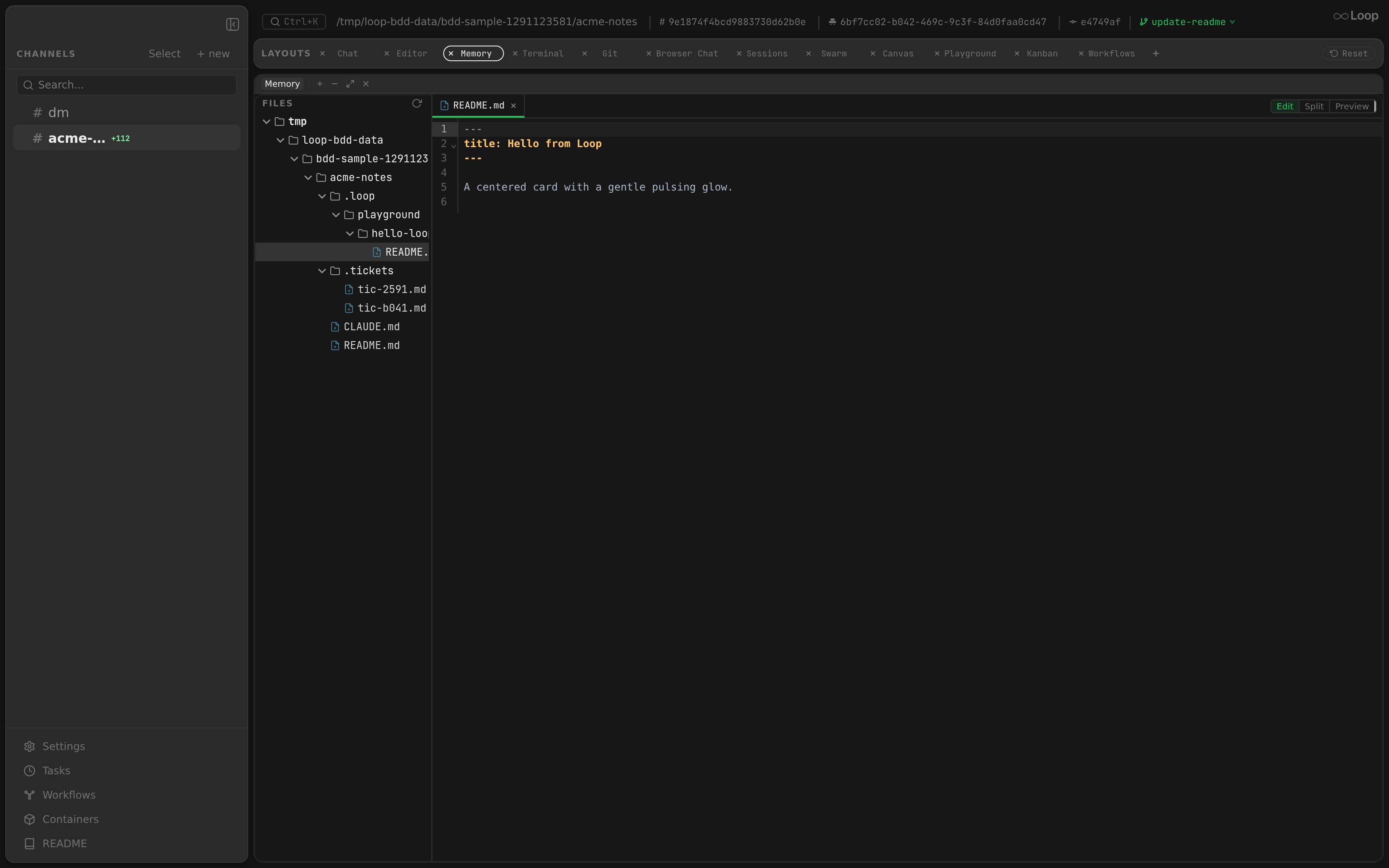
The Memory layout panel browses the indexed .md files as a tree and opens any file in a viewer. The list refreshes automatically while the panel is open, so files indexed by the re-indexer or the agent appear without a manual reload.
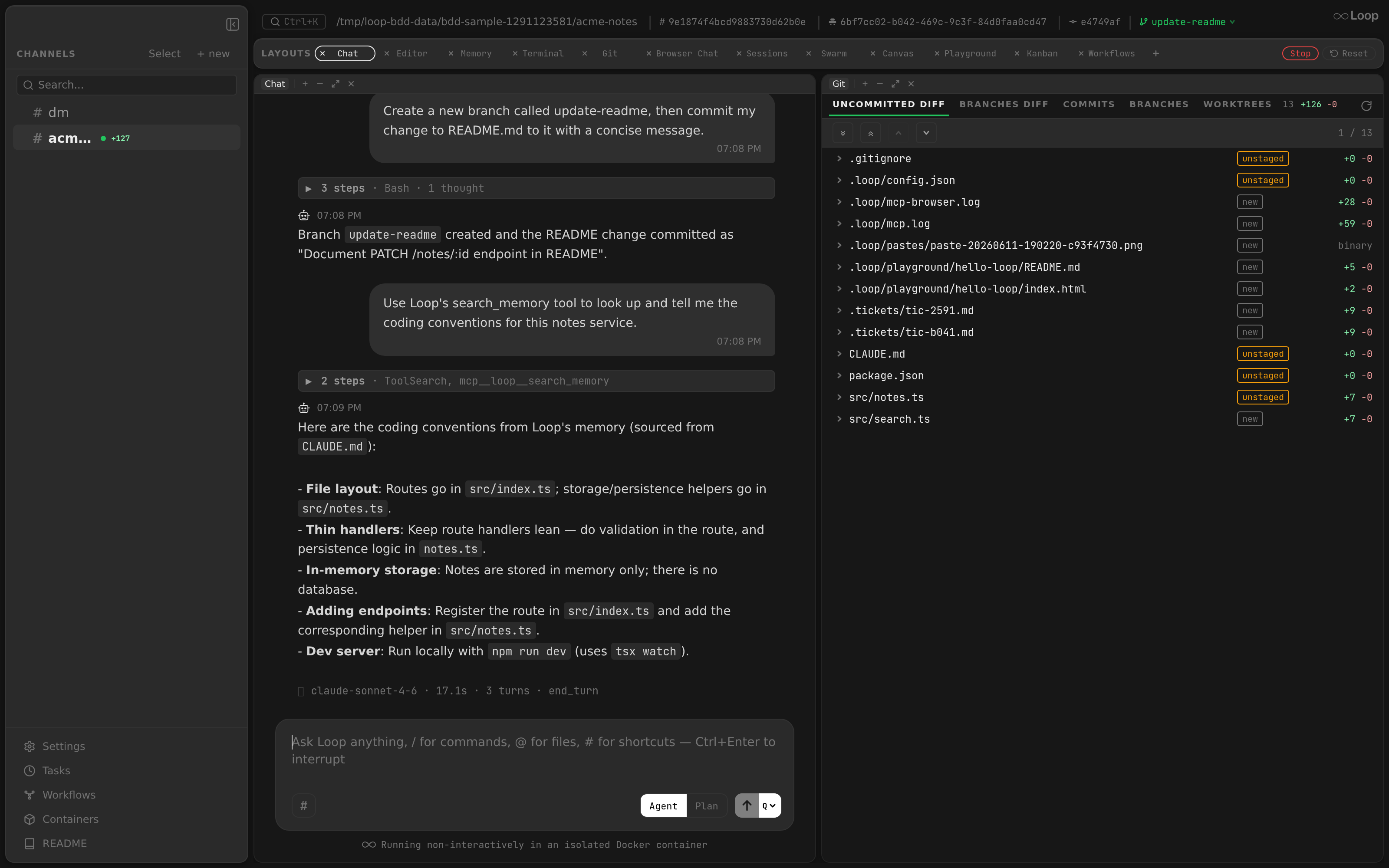
You can also recall memory straight from chat: ask the agent and it answers using Loop’s search_memory MCP tool, which embeds the query and returns the most relevant indexed chunks.
Architecture
.md files ──> Indexer ──> Embedder (Ollama) ──> SQLite (vectors as BLOBs)
                                                        │
                                            Search query │
                                                        ▼
                                    Embed query ──> Cosine similarity ──> Top-K results
Components
| Component | Package | Responsibility |
|---|---|---|
| Indexer | internal/memory | Walks directories, chunks files, manages hash-based staleness detection, coordinates embedding and storage |
| Embedder | internal/embeddings | Generates vector embeddings from text via Ollama API |
| Store | internal/db | Persists memory files with embeddings in SQLite |
| API handlers | internal/api | HTTP endpoints for search, index, file listing |
| MCP tools | internal/mcpserver | search_memory and index_memory tools for Claude agents |
Chunking Strategy
The Indexer processes .md files using a two-tier chunking approach:
Small Files (content <= max_chunk_chars)
Stored as a single database row with both the content hash and the embedding vector. chunk_index is 0.
Large Files (content > max_chunk_chars)
Split into multiple chunks:
- Header row (
chunk_index = 0): Stores the content hash for staleness detection. No embedding. - Chunk rows (
chunk_index = 1, 2, ...): Each chunk gets its own embedding vector.
Chunk Splitting Algorithm
Chunks are split at line boundaries to preserve readability:
- If remaining content fits within
max_chunk_chars, use it as the final chunk. - Otherwise, find the last newline (
\n) within the firstmax_chunk_charscharacters. - If no newline is found, hard-cut at
max_chunk_chars. - Trim leading newlines from the remainder before continuing.
Configuration
| Parameter | Default | Description |
|---|---|---|
max_chunk_chars | 5000 | Maximum characters per chunk. nomic-embed-text has an 8192-token context; 5000 chars is a safe limit for dense content. |
Ollama Integration
The OllamaEmbedder manages an Ollama instance running in a Docker container for generating embeddings.
Lazy Container Startup
The Ollama container starts on the first Embed() call:
- Check if the
loop-ollamacontainer is running viadocker inspect. - If not running, remove any stale container and start a new one:
docker run -d --name loop-ollama -v loop-ollama:/root/.ollama -p 11434:11434 ollama/ollama:latest - Poll
http://localhost:11434/until the API responds (up to 30 seconds, polling every 500ms). - Check if the model is already pulled (
docker exec loop-ollama ollama list). If not, pull it:docker exec loop-ollama ollama pull nomic-embed-text
Named Volume for Model Persistence
The loop-ollama Docker volume (-v loop-ollama:/root/.ollama) persists the pulled model across container restarts, avoiding repeated downloads.
Idle Timeout
The RunIdleMonitor goroutine periodically checks the marker file and stops the container when idle:
- Marker file:
~/.loop/ollama-last-used– touched (written with empty content) after every successfulEmbed()call. - Check interval: Every 1 minute (configurable via
WithOllamaIdleCheckInterval). - Idle timeout: 5 minutes since the marker file was last modified.
- Shutdown:
docker rm -f loop-ollamawhen idle.
API
The embedder calls the Ollama REST API:
POST http://localhost:11434/api/embed
Content-Type: application/json

{"model": "nomic-embed-text", "input": ["text1", "text2"]}
Response:
{"embeddings": [[0.1, 0.2, ...], [0.3, 0.4, ...]]}Embedding Model
| Property | Value |
|---|---|
| Model | nomic-embed-text (configurable via WithOllamaModel) |
| Dimensions | 768 |
| Provider | Ollama (local Docker container) |
| API URL | http://localhost:11434 (configurable via WithOllamaURL) |
Vector Storage
Embeddings are stored as BLOBs in the memory_files SQLite table.
Serialization Format
Vectors use little-endian float32 encoding:
SerializeFloat32([]float32) []byte– encodes each float32 as 4 bytes usingbinary.LittleEndian.PutUint32(math.Float32bits(f)).DeserializeFloat32([]byte) []float32– decodes 4-byte groups back to float32.
A 768-dimension vector occupies 3072 bytes (768 * 4).
Database Schema
The MemoryFile model:
| Field | Type | Description |
|---|---|---|
id | int64 | Auto-increment primary key |
file_path | string | Absolute path to the source .md file |
chunk_index | int | 0 for header/small file, 1+ for chunks |
content | string | Chunk text content (empty for large-file header rows) |
content_hash | string | SHA-256 hex hash of the full file content (only on chunk_index 0) |
embedding | []byte | Serialized float32 vector (BLOB) |
dimensions | int | Number of embedding dimensions (768) |
dir_path | string | Project directory for scoping |
updated_at | time.Time | Last update timestamp |
Note: sqlite-vec is incompatible with modernc.org/sqlite, so similarity search uses brute-force Go computation rather than SQL vector operations.
Search Flow
- Embed the query: Generate a vector embedding for the search query text.
- Load candidate vectors: Fetch all
MemoryFilerows scoped to the givendir_path(plus global files wheredir_path = ""). - Compute similarity: Calculate cosine similarity between the query vector and each stored vector.
- Rank and truncate: Sort results by score descending and return the top-K.
Cosine Similarity
similarity(a, b) = dot(a, b) / (||a|| * ||b||)Returns a value between -1 and 1, where 1 means identical direction. Handles zero-norm and dimension-mismatch cases by returning 0.
Default top_k
When top_k <= 0, defaults to 5.
Indexing
Hash-Based Staleness Detection
The indexer avoids redundant re-embedding by comparing file content hashes:
- Read the
.mdfile content. - Compute SHA-256 hash of the trimmed content.
- Look up the existing hash in the database for the same
file_pathanddir_path. - If hashes match, skip (file unchanged).
- If hashes differ (or no existing entry), delete all old rows for this file and re-index.
Directory Walking
The Index method accepts a memoryPath which can be a single .md file or a directory:
- Single file: Index directly if it has a
.mdextension. - Directory: Walk the tree using
filepath.WalkDir, indexing all.mdfiles. - Non-
.mdfiles are silently skipped. - Walk errors are logged but do not abort the scan.
Symlink Handling
- The
memoryPathitself is resolved viafilepath.EvalSymlinksbefore walking, soWalkDircan descend into symlinked directories. - Exclusion paths are also resolved through
resolveExcludeSymlinks()so they match the symlink-resolved paths encountered during the walk.
Exclusion Patterns
Paths can be excluded from indexing via the excludePaths parameter:
- Each exclusion path is an absolute path.
- Uses separator-safe prefix matching: a path is excluded if it equals the exclusion path OR starts with it followed by the OS path separator. This prevents false positives (e.g.,
/memory/draftswill not exclude/memory/drafts-v2). - When a directory matches an exclusion,
filepath.SkipDiris returned to skip the entire subtree. - The
!-prefix convention for negation is handled at the configuration layer before paths reach the Indexer.
Per-Project Scoping via dir_path
All memory operations are scoped by a dir_path parameter:
- Indexing: Files are stored with a
dir_pathlinking them to a specific project. - Searching: Results include files matching the given
dir_pathplus global files (wheredir_path = ""). - API resolution: The
dir_pathcan be provided directly or resolved from achannel_idvia database lookup. When a channel has no explicit path, falls back to~/.loop/{channel_id}/work.
Periodic Re-Index
The reindexLoop runs at daemon startup and then on a configurable ticker:
- Default interval: 5 minutes (configurable via
memory.reindex_interval_secin config). - Re-indexes all configured memory paths for all known projects.
- Only re-embeds files whose content hash has changed.
Auto-Memory
Loop automatically indexes Claude Code’s auto-memory directory for each project:
- Path:
~/.claude/projects/<encoded-path>/memory/ - The
<encoded-path>is the project directory path encoded for use in the filesystem. - No configuration is required – the system discovers and indexes this directory automatically.
- These files are scoped to the project’s
dir_pathin the database.
MCP Tools
The memory system is exposed to Claude agents via two MCP tools:
search_memory
Semantic search across memory files. Returns the most relevant chunks ranked by similarity to the query. Calls POST /api/memory/search on the daemon API.
index_memory
Force re-index all memory files. Useful after editing memory files to update the search index. Calls POST /api/memory/index on the daemon API.
Both tools are only registered when memory is enabled via WithMemoryAPI(dirPath) option.
Configuration
Memory-related configuration in ~/.loop/config.json:
{
  "embeddings": {
    "provider": "ollama",
    "model": "nomic-embed-text"
  },
  "memory": {
    "paths": ["./memory", "!./memory/drafts"],
    "max_chunk_chars": 5000,
    "reindex_interval_sec": 300
  }
}| Field | Default | Description |
|---|---|---|
embeddings.provider | "ollama" | Embedding provider (only ollama is supported) |
embeddings.model | "nomic-embed-text" | Ollama model name |
memory.paths | – | Directories to index; !-prefixed entries are exclusions |
memory.max_chunk_chars | 5000 | Maximum chunk size for embeddings |
memory.reindex_interval_sec | 300 | Periodic re-index interval in seconds |