Sessions Panel
The Sessions panel lists the past Claude Code sessions for a channel and lets you resume any of them. Each agent run in a channel produces a session transcript on disk; the panel reads those and shows them newest-first with a one-line summary.
Related docs: Agent | Orchestrator | Layouts
Overview
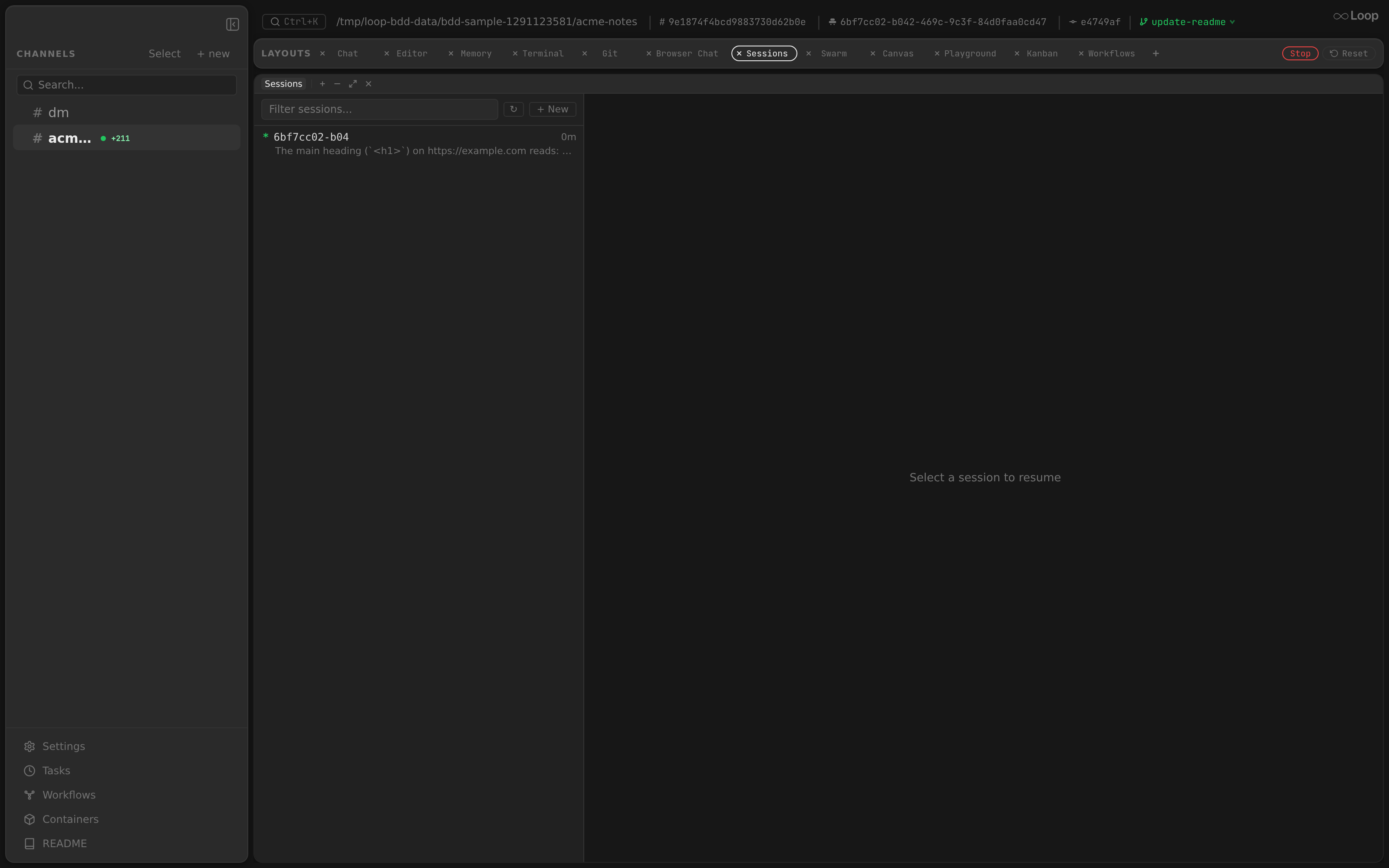
Component: app/src/components/panels/SessionsPanel.tsx
Sessions are read from GET /api/channels/{id}/sessions, which scans the Claude session store under $HOME/.claude/projects/<encoded-workdir>/*.jsonl (the workdir path is encoded the way Claude Code stores it). Each entry shows its session id and a short summary derived from the transcript, along with how long ago it ran.
Resuming
Selecting a session resumes that conversation — the next message continues from where it left off (claude --resume <session-id>), so context, file state, and history carry over. A filter box narrows the list, and + New starts a fresh session instead of resuming.
The channel’s own session, the one its chat runs resume, is marked *. resume here on any other row makes that session the channel’s, so its next message continues that conversation instead (PUT /api/channels/{id}/session). The chat’s messages stay as they are; only what the agent remembers changes. While a run is in progress the switch waits for it to end, since the run saves its own session id then; the panel says so, and the * moves after a refresh once the run is done. A pending switch is held in memory, so a daemon restart before the run ends drops it. A session a thread also holds (one imported as a thread) is forked on the channel’s next run rather than shared, so the two conversations don’t write into each other. Agents can do the same with the list_sessions and resume_session
MCP tools.
The empty state (“No sessions found”) simply means no agent has run in the channel yet.
Pruned transcripts
Claude Code deletes transcripts under $HOME/.claude/projects once they pass
its retention window (cleanupPeriodDays, 30 days by default), while Loop pins
a channel’s session id in the database and only replaces it after a successful
run. A channel that sat idle for longer than the window therefore points at a
file that no longer exists, and claude --resume fails the turn outright with
No conversation found with session ID: … — every turn, permanently.
Loop checks for the transcript before it resumes:
- Agent runs and terminal panes drop
--resume/--fork-sessionand start a fresh session when the file is provably absent, loggingsession transcript not found; starting a fresh session. A stat that fails for any other reason (unreadable home dir, permissions) is not treated as absence — the conversation is kept. - New worktrees (the
+wtbutton, ticket assignment, worktree tasks, thread forks) copy the source transcript into the worktree’s own project dir, because Claude keys sessions by working directory. When that copy fails, the new thread is left with no session id rather than inheriting one it cannot resume.
The conversation itself is not recoverable once pruned; the channel simply starts a new session on its next turn.