Terminal WebSocket System
The terminal system provides interactive PTY sessions inside Docker containers or directly on the host machine, accessible via a WebSocket connection at GET /api/ws/terminal.
Related docs: HTTP API | Events System
In the app
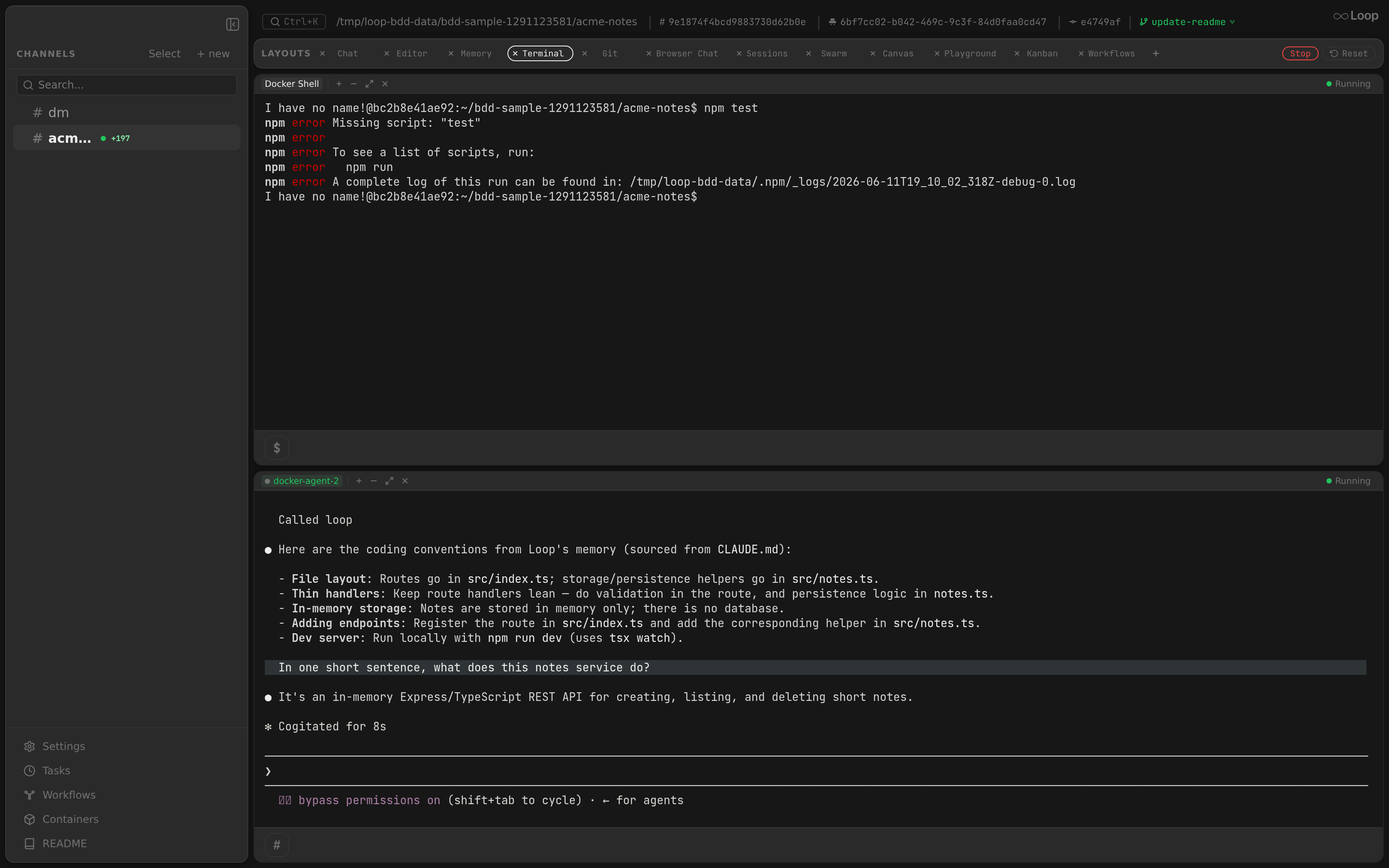
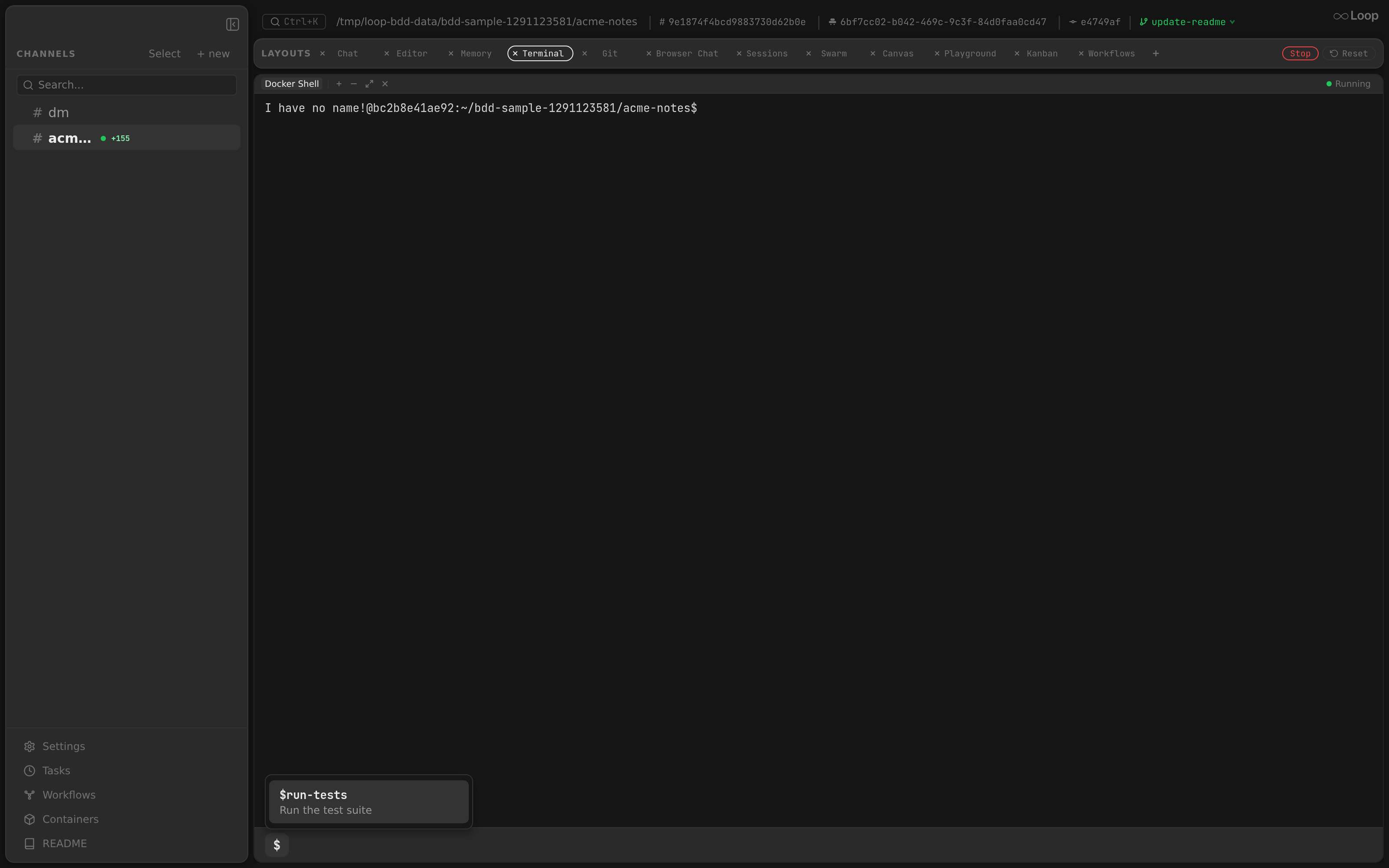
Terminals open as panels in any layout (see Layouts ). Each pane is one of:
- Chat Terminal — an interactive Claude session inside the channel’s container. The open mode (Resume / Fork / Fresh) decides how it relates to the channel’s stored session: Resume continues the same conversation in place, so you can talk to the very same agent straight from a terminal — no context lost.
- Docker Shell — a plain
/bin/bashinside the container, for running commands next to the agent. - Host Shell — a shell on your machine.
The terminal WebSocket is owner-only: it needs the owner API token (see Authentication ), and an agent container’s token gets a 403. That’s what keeps a host shell out of an agent’s reach, since a host shell runs as you, outside any container.
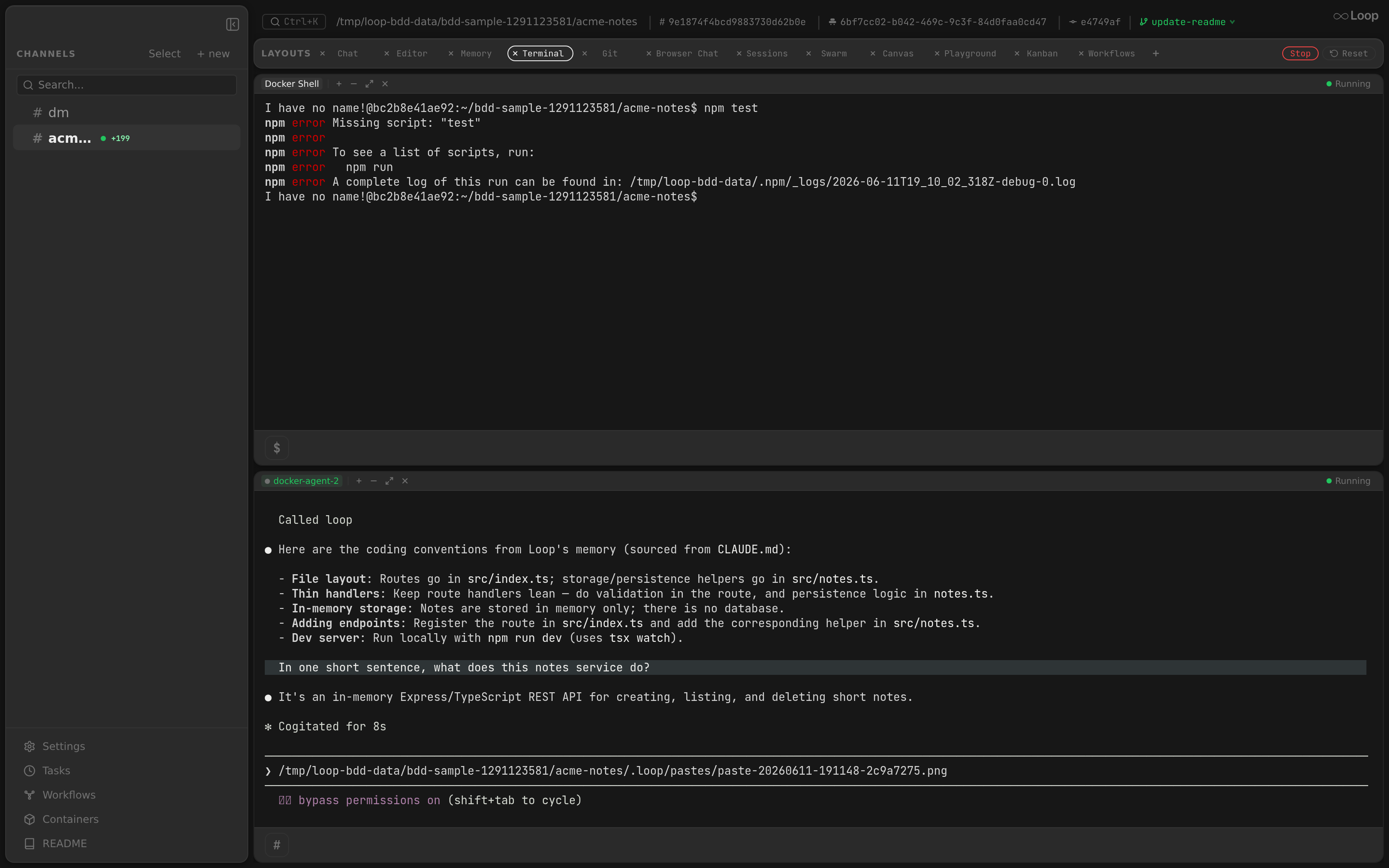
Image paste
Paste an image into any terminal pane (⌘/Ctrl-V). Loop saves it under the workspace’s .loop/pastes/ directory and inserts the saved absolute path into the pane, so the in-pane Claude session (or shell) can read it. Same UX as the chat input
.
Continue
While a Chat Terminal pane’s session is running, its footer has the same » button as the chat composer, next to the # prompt-shortcut picker. Clicking it types continue into the agent and presses Enter, so it carries on where it stopped. Shell panes don’t run Claude, so they don’t get it.
WebSocket Protocol
The terminal WebSocket uses a bidirectional JSON-based control protocol layered on top of the standard WebSocket framing:
- Client to server: JSON text frames (control messages)
- Server to client: JSON text frames (status messages) and binary frames (terminal output)
The WebSocket upgrader accepts all origins (CheckOrigin returns true).
Client-to-Server Messages
All messages are JSON objects with a type field that determines the operation.
create
Create a new terminal session. Detaches any currently attached session first.
{
  "type": "create",
  "container_id": "abc123def",
  "channel_id": "chan_001",
  "cmd": ["/bin/bash", "-l"],
  "target": "agent",
  "rows": 24,
  "cols": 80,
  "open_mode": "fork"
}| Field | Type | Required | Description |
|---|---|---|---|
type | string | yes | Must be "create" |
container_id | string | no | Docker container ID (for agent target) |
channel_id | string | no | Channel ID; used to resolve container via ContainerFinder |
cmd | string[] | no | Command to execute; defaults to /bin/sh. Agent target only: a host session with a cmd is rejected |
target | string | no | "host", "chat" or "agent" (default) |
rows | uint | no | Initial terminal rows; applied via resize after creation |
cols | uint | no | Initial terminal columns |
open_mode | string | no | Agent session boot mode: "resume", "fork", "fresh". Empty preserves legacy auto-fork heuristic. |
Agent target behavior:
- If
container_idis empty andchannel_idis provided, resolves the container viaContainerFinder.FindContainerByChannel. - Looks up the channel’s
dir_pathandsession_idfrom the database. open_modeselects how the channel’s stored Claude session is consumed when launching the interactive command:"resume"— resume the channel session in place (no fork). Falls back to a fresh session if the channel has nosession_id."fork"— resume the channel session with the fork flag, so the new run gets its own session id. Auto-disabled (treated as"resume") when the channel has nosession_id."fresh"— ignore the storedsession_identirely; Claude starts a new conversation.- Empty / missing — preserves the legacy behavior: threads that share the parent’s session set the fork flag automatically; channels resume in place.
- Any mode that would resume falls back to a fresh session when the stored id’s transcript is no longer on disk — resuming a pruned transcript kills the pane on launch. See Pruned transcripts .
- When no explicit
cmdis given and acmdBuilderis configured, sends the interactive Claude command as shell input after session creation. - Maximum of 64 command arguments; empty arguments are rejected.
Host target behavior:
- Resolves the working directory from the channel’s
dir_path. Falls back to parent channel’sdir_pathfor threads, then to~/.loop/{channel_id}/work, and finally to$HOME. - Default shell:
$SHELLenv var, then/bin/zshif available, then/bin/sh. On Windows:$COMSPEC, thenpowershell.exe, thencmd.exe. - Default shell arguments:
-l(login shell) on Unix; none on Windows. - Always the user’s shell: a
cmdis rejected withinvalid_input.
Chat target behavior:
- A shell in the container the channel’s chat runs in, beside its agent, rather than in the shell container agent panes share. The UI opens it from the chat header’s
shellbadge, as the Shell view; a fork or fresh side chat’s header has one too, for a shell in the side chat’s own container. The badge shows only while that container is running; a Shell view that opens while it isn’t running says so, and starts its shell once the container does. - Needs
channel_id; the container is the channel’s running chat (loop-type=agent) container. With none running, it’s asession_failederror. - Runs
cmd,/bin/bashby default, and never boots Claude: the chat’s agent already runs there.
attach
Re-attach to an existing session. Provides ring buffer history replay.
{
  "type": "attach",
  "session_id": "a1b2c3d4"
}| Field | Type | Required | Description |
|---|---|---|---|
type | string | yes | Must be "attach" |
session_id | string | yes | Session ID to attach to |
target | string | no | "agent" (default), "chat" or "host": the manager that owns the session |
Behavior:
- Detaches any currently attached session first.
- Attaches only through the
targetmanager, the agent one iftargetis empty. A host session needs"target": "host"; any other value is aninvalid_inputerror. - On success, replays the ring buffer contents as binary output before streaming live output.
input
Send user input to the active terminal session.
{
  "type": "input",
  "data": "bHMgLWxhCg=="
}| Field | Type | Required | Description |
|---|---|---|---|
type | string | yes | Must be "input" |
data | string | yes | Base64-encoded input bytes |
Errors: Returns no_session if no active session; invalid_input if base64 decoding fails.
Client keybindings (xterm.js renderer):
- Shift+Enter in agent and host shell panes emits
\<CR>(backslash + carriage return) viainputinstead of a plain\r. This matches Claude Code’s/terminal-setupiTerm2 binding and bash readline line continuation, letting users compose multi-line prompts without submitting. A bare Enter still submits. - Clicked URLs (via the xterm
WebLinksAddon) route throughwindow.loopAPI.openExternalin Electron, which callsshell.openExternalon the main process and opens the link in the OS default browser only. In a plain web browser, links fall back towindow.open(url, "_blank", "noopener,noreferrer"). The Electron main process also deniesabout:blankand non-http(s) popups viasetWindowOpenHandler, so links never spawn an in-app Loop window.
resize
Resize the PTY of the active session.
{
  "type": "resize",
  "rows": 40,
  "cols": 120
}| Field | Type | Required | Description |
|---|---|---|---|
type | string | yes | Must be "resize" |
rows | uint | yes | New terminal height |
cols | uint | yes | New terminal width |
Errors: Returns no_session if no active session; missing_field if rows or cols is 0.
stop
Stop the active session and remove its container (agent sessions only). Used when shutting down a channel’s terminal entirely.
{
  "type": "stop",
  "session_id": "a1b2c3d4"
}| Field | Type | Required | Description |
|---|---|---|---|
type | string | yes | Must be "stop" |
session_id | string | no | Can target a detached session; defaults to current active session |
Behavior:
- Calls
StopSessionon the appropriate manager to close the exec connection. - For agent sessions, removes the container via
ContainerStopper.ContainerRemoveso the channel list API reflects the updated state. - For host sessions, skips container removal.
- A chat’s own container is never removed: the chat still runs there. A
chatsession’s process group is killed instead, which ends the shell.
close
Close the exec session without removing the container. Used when closing an individual terminal pane while keeping the container alive.
{
  "type": "close",
  "session_id": "a1b2c3d4"
}| Field | Type | Required | Description |
|---|---|---|---|
type | string | yes | Must be "close" |
session_id | string | no | Defaults to current active session |
Response: Sends a stopped status message.
kill
Remove the container for a channel without requiring an active terminal session. Used when the terminal panel is closed and no panes are open.
{
  "type": "kill",
  "channel_id": "chan_001"
}| Field | Type | Required | Description |
|---|---|---|---|
type | string | yes | Must be "kill" |
channel_id | string | yes | Channel whose container should be removed |
Behavior:
- If there is an active agent session, stops it first.
- Resolves the channel to a container via
ContainerFinderand removes it. - If no container is found, still reports success.
- Suppresses “already in progress” errors from concurrent removal.
Server-to-Client Messages
Status Messages (JSON text frames)
{
  "type": "created",
  "session_id": "a1b2c3d4",
  "message": "",
  "error_code": ""
}| Type | Description |
|---|---|
created | Session created successfully; includes session_id |
attached | Session attached successfully; includes session_id |
error | Operation failed; includes message and error_code |
closed | Session output stream ended (exec process exited or done channel closed) |
stopped | Session explicitly stopped via stop, close, or kill message |
Terminal Output (binary frames)
Raw PTY output is sent as WebSocket binary frames. The client should render these bytes in a terminal emulator (e.g., xterm.js).
Error Codes
| Code | Description |
|---|---|
invalid_json | Could not parse the control message as JSON |
no_session | Operation requires an active session but none is attached |
missing_field | A required field is missing (e.g., session_id, rows, cols, channel_id) |
invalid_input | Input data is invalid (e.g., bad base64, empty command argument, too many args) |
session_failed | Session operation failed (container not found, exec error, etc.) |
session_gone | attach named a session the server no longer has, after a daemon restart say. The app starts a new session in the pane without showing an error |
unknown_message | Unrecognized message type |
Session Lifecycle
create ──> readLoop starts ──> fan-out to attached clients
                                    │
                              WS disconnect
                                    │
                              detachCurrent()
                              (session survives)
                                    │
                              WS reconnect
                                    │
                              attach ──> replay ring buffer ──> resume streaming
                                    │
                              explicit close/stop
                                    │
                              StopSession() ──> exec connection closed
                                              ──> all client channels closed
──> session removed from registry- Create: A new Docker exec (or host PTY) is started with a TTY. The session is registered in the manager and a read loop goroutine begins.
- Read loop: Reads from the exec connection in 4096-byte chunks. Each chunk is written to the ring buffer and fanned out to all attached client channels (buffered, capacity 64). Slow consumers have output dropped with a warning log.
- Attach: Registers a new client channel on the session. The ring buffer contents are replayed immediately, followed by live output streaming.
- Detach on WS close: When the WebSocket disconnects, the session is detached (not stopped). The exec process and ring buffer continue running so the session can be reattached later.
- Reattach: A new WebSocket connection can attach to the same session ID. The ring buffer provides the scrollback history. The app keeps each pane’s session ID in
sessionStorage, so a reload reattaches too. - Kill on explicit close: Only
stop,close, orkillmessages terminate the exec process.StopSessioncloses the exec connection, closes all client channels, and removes the session from the manager. For a Docker session,closefirst kills every process in the shell’s session inside the container, its background jobs included. - Reaping: Every app window claims the sessions it holds, on tabs it isn’t showing too, through
POST /api/terminal/claimsonce a minute. A session no client is attached to and no window has claimed for 5 minutes, one of a closed or crashed window say, is closed asclosewould close it. A session is never reaped while a client is attached, and a sweep gap far longer than a minute (the machine slept) counts every session as held.
Docker Exec Sessions
Managed by DockerExecClient which wraps the Docker SDK exec API.
- ExecCreate: Creates an exec process inside a running container with
Tty: true, stdin/stdout/stderr attached. Runs as the host user ($USERenv var) matching the container’s non-rootagentuser. Default command is/bin/sh. - ExecAttach: Attaches to the exec process and returns an
io.ReadWriteCloserwrapping the DockerHijackedResponse. Reads use the buffered reader; writes go to the underlying connection. - ExecResize: Changes PTY dimensions via the Docker exec resize API.
The hijackedConn adapter wraps the Docker SDK’s HijackedResponse as a standard io.ReadWriteCloser.
Host PTY Sessions
Managed by HostExecClient which runs shell processes directly on the host machine.
Unix (Darwin/Linux)
Uses creack/pty to start processes with a pseudo-terminal:
- ExecCreate: Prepares the command with
Setsid: true(new process group). Validates the command viaexec.LookPath. - ExecAttach: Starts the process via
pty.Startand returns ahostPTYConnwrapping the PTY file descriptor. - ExecResize: Uses
pty.Setsizeto change the PTY window size. - Cleanup (hostPTYConn.Close):
- Sends
SIGHUPto the process group (syscall.Kill(-pid, SIGHUP)) - Waits up to 3 seconds for the process to exit
- If still running, sends
SIGKILLto the process group - Closes the PTY file descriptor
- Uses
sync.Onceto ensure cleanup runs exactly once
- Sends
Windows
Uses UserExistsError/conpty for Windows ConPTY support:
- ExecCreate: Builds a command line string with proper quoting. Validates via
exec.LookPath. - ExecAttach: Starts the process via
conpty.Startwith working directory and environment options. Requires Windows 10 1809+. - ExecResize: Uses
conpty.Resize(width, height)(note: width before height). - Cleanup (hostConPTYConn.Close): Calls
conpty.Closewithsync.Once.
Ring Buffer
RingBuffer is a fixed-size circular byte buffer used for terminal scrollback. Default size is 1 MB (1,048,576 bytes).
- Thread-safe: All operations are protected by a
sync.Mutex. - Circular writes: When full, new data overwrites the oldest bytes. The write position wraps around.
- History replay:
Bytes()returns all buffered data in chronological order, handling the wrap-around case. - Methods:
Write(p []byte),Bytes() []byte,Len() int,Reset().
When data larger than the buffer is written, only the last size bytes are kept.
Session Registry
Sessions are stored in a map[string]*Session within the Manager, keyed by randomly generated 8-character hex IDs (4 random bytes).
The ManagerAdapter bridges the internal terminal.Manager to the api.TerminalManager interface:
CreateSessioncreates the session, immediately attaches a client channel, and returns all fields decomposed.AttachSessionre-attaches to an existing session and returns the output channel, history, and done channel.DetachSession,SendInput,Resize,StopSessiondelegate directly.
Agent vs Host Terminal Differences
| Aspect | Agent (Docker) | Host |
|---|---|---|
| Backend | Docker exec API | creack/pty (Unix) / ConPTY (Windows) |
| Container ID | Docker container ID | Working directory path |
| Default shell | /bin/sh | $SHELL / /bin/zsh / /bin/sh |
| Default args | none | -l (login shell) |
| Container removal | Yes (on stop/kill) | No |
| User | $USER env var | Current process user |
| Cleanup | Exec connection close | SIGHUP -> 3s -> SIGKILL |
| Interactive cmd | Auto-injects Claude command | None |
Container Ensurer
The ContainerFinder interface resolves a channel_id (and optional dir_path) to a running Docker container ID. This allows the terminal handler to create sessions by channel rather than requiring the client to know the container ID.
The ContainerStopper interface removes containers by ID, used during stop and kill operations.
Idle Timeout
Sessions can be configured with an idle timeout via Manager.SetIdleTimeout. When set, a timer resets on each output read. If no output is received within the timeout duration, the session automatically closes by closing the exec connection.